Vaydeer Adjustable Vertical Laptop Stand - Space-Saving 4-in-1 Desktop Organizer
Elevate your workspace efficiency with the Vaydeer Vertical Laptop Stand. Designed for the modern professional, this sleek plastic holder transforms a cluttered desk into an organized, minimalist environment. By storing your laptop vertically, you reclaim valuable surface area while keeping your essential devices within reach and safely protected. Whether you are working from a home office or a corporate suite, this stand provides a sophisticated solution for managing your hardware.
Key Benefits
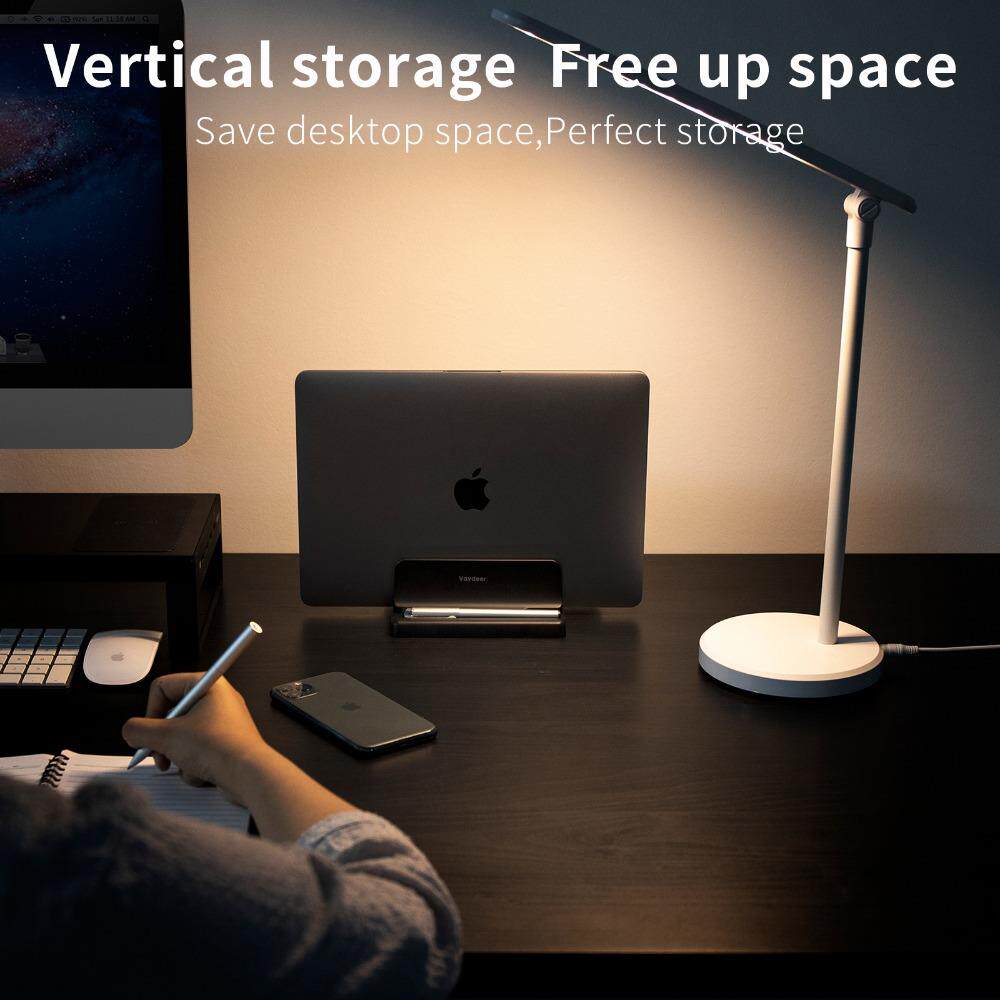
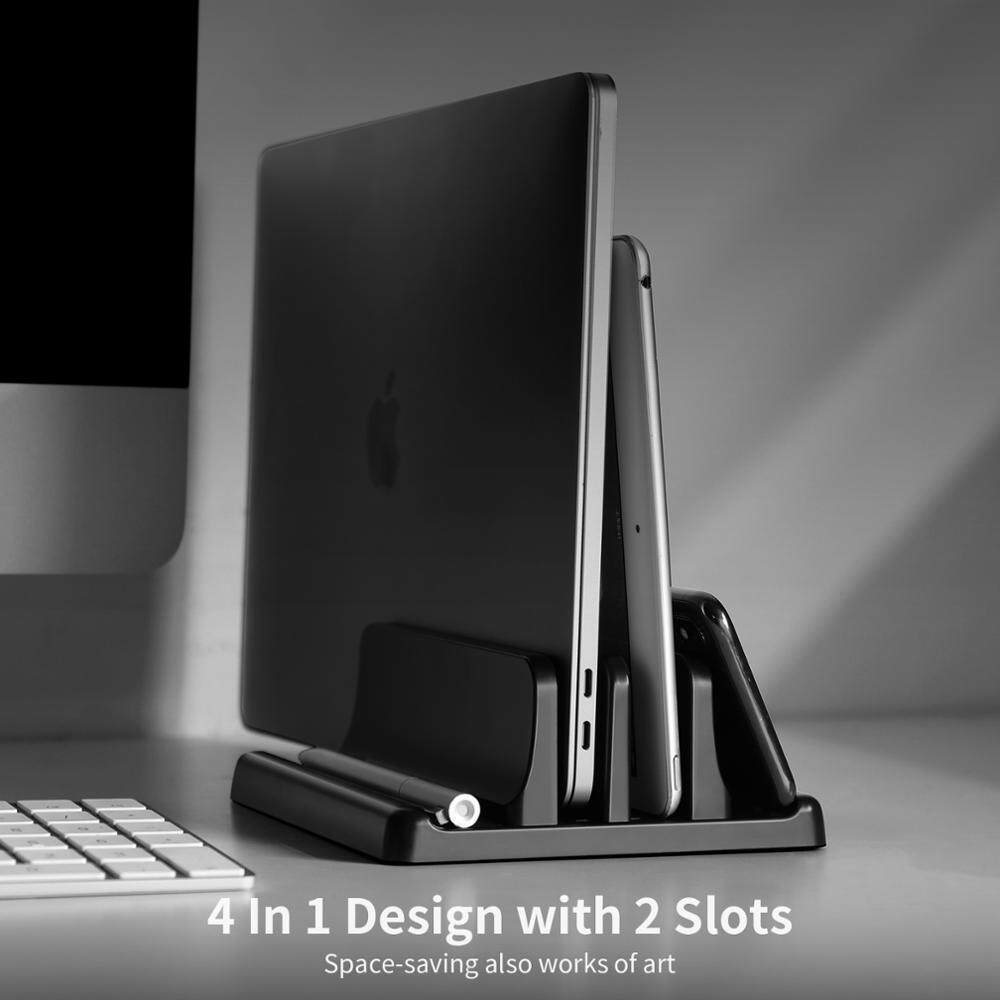
- Space-Saving Vertical Storage: Maximize your desktop real estate by cradling your laptop upright. This 4-in-1 design features two primary slots and additional side supports to hold multiple devices simultaneously, turning your tech into a tidy "work of art."
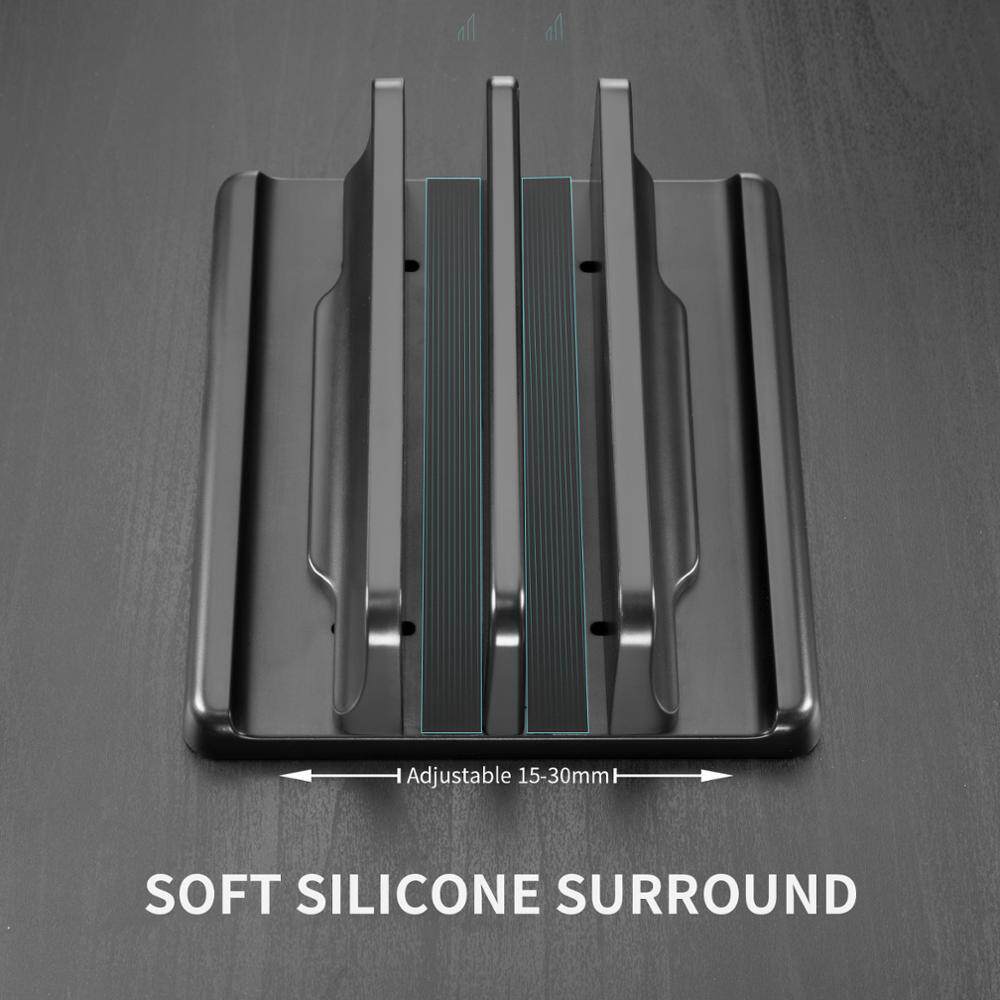
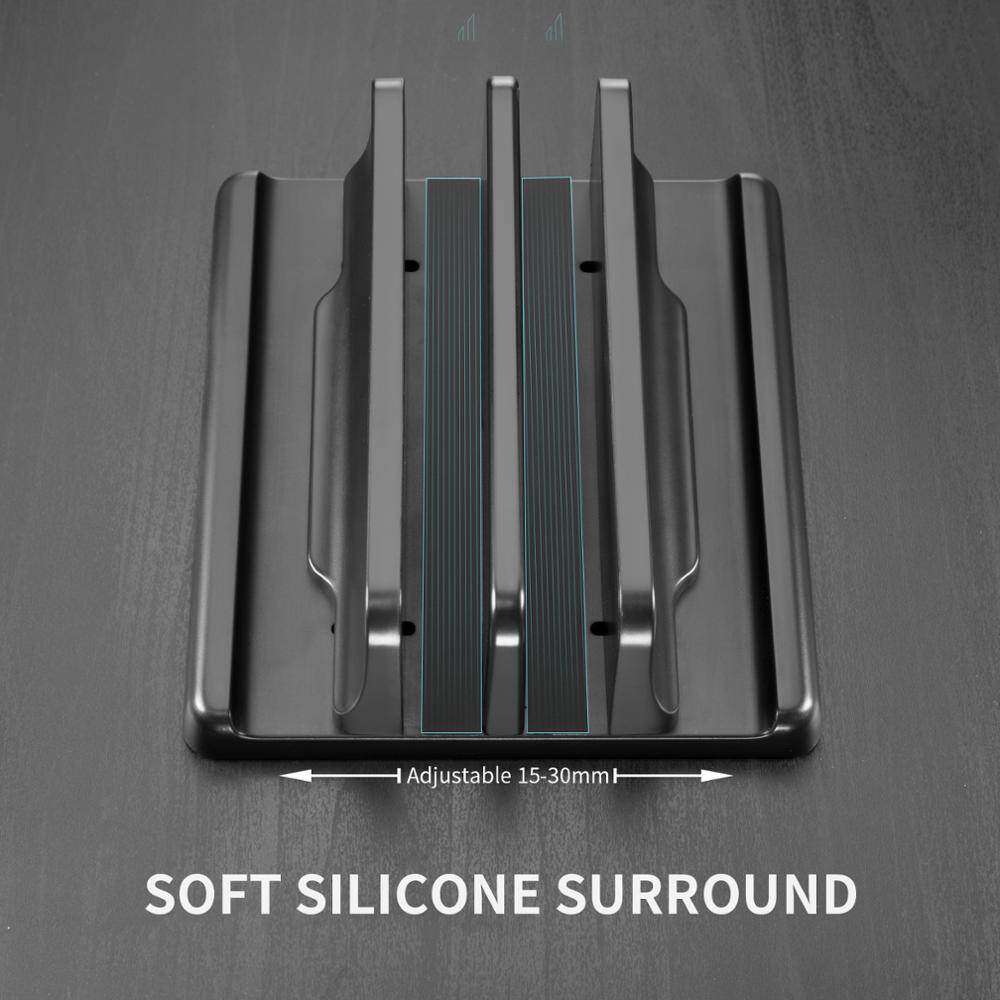
- Fully Adjustable Width: The central slots are fully customizable, adjusting from 15mm to 30mm. This ensures a snug, secure fit for a wide range of devices, from ultra-slim tablets and MacBooks to thicker gaming laptops.
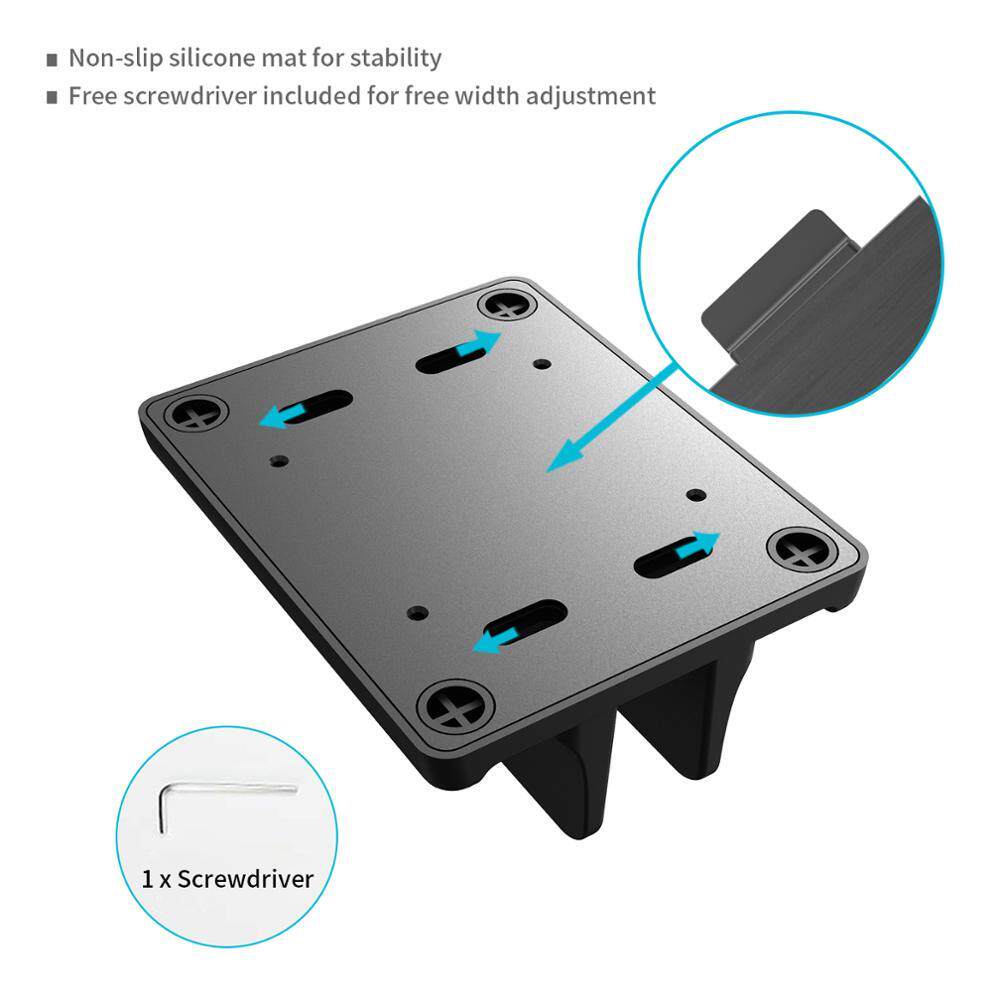
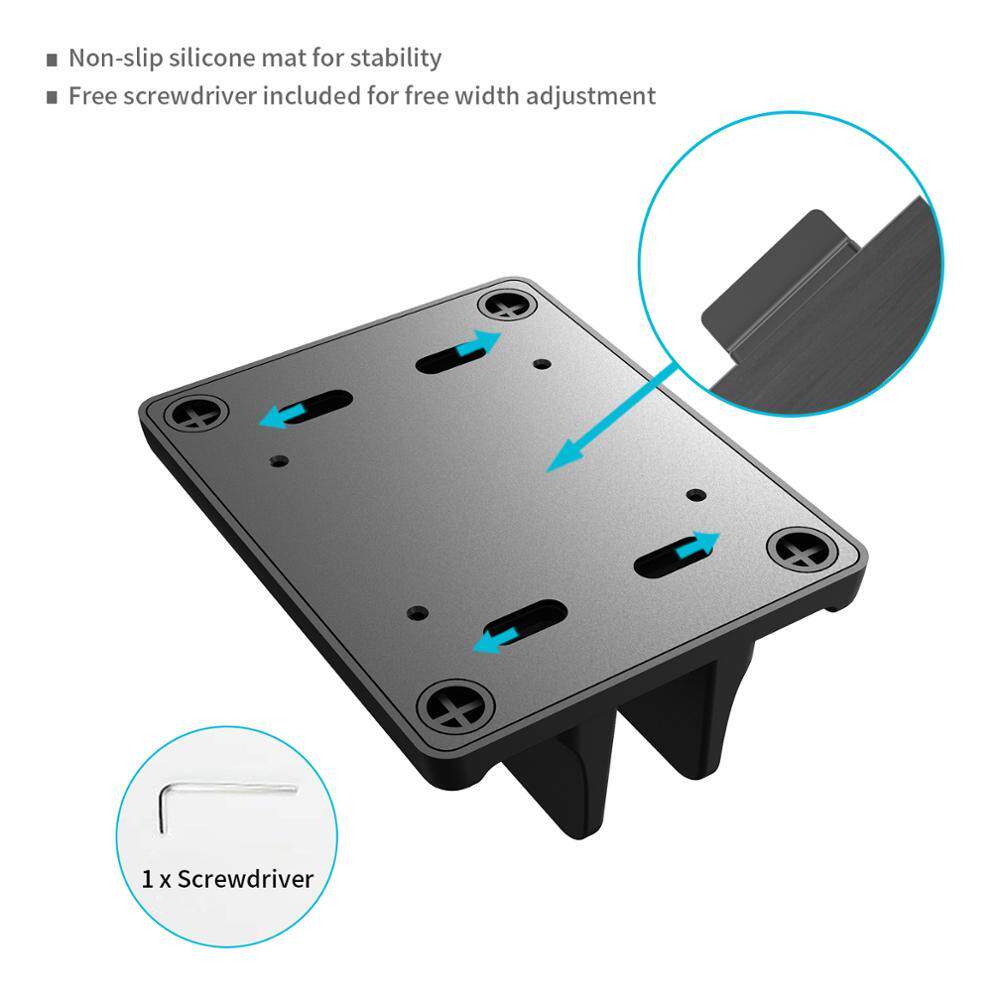
- Comprehensive Device Protection: Featuring a soft silicone surround, the interior of the stand prevents scratches and scuffs on your device's finish. The non-slip silicone mat on the base provides rock-solid stability, ensuring your hardware won't slide or tip during use.
- Multi-Device Functionality: This is not just for laptops. Use the dual-slot architecture to organize tablets, smartphones, or even books. It is the ideal companion for professionals who switch between multiple screens and need a centralized docking area.
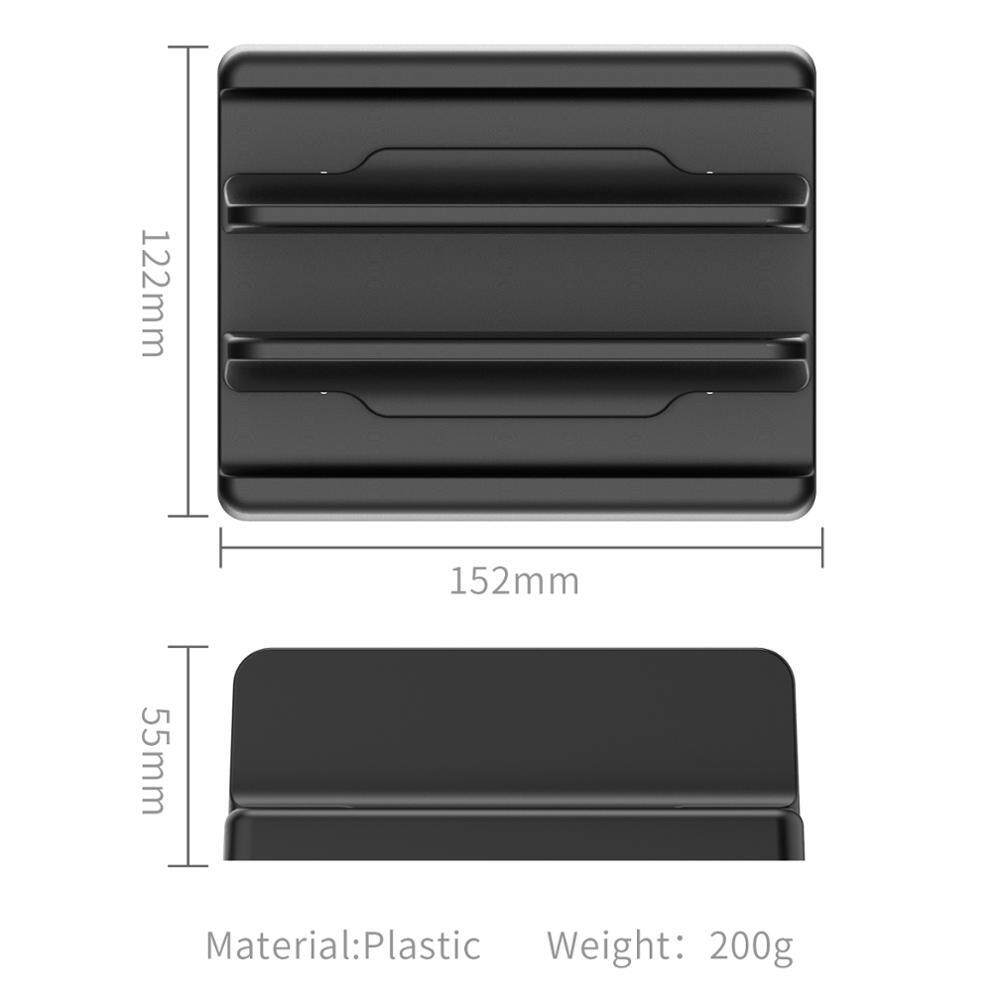
- Lightweight & Durable Construction: Crafted from high-quality, durable plastic, this stand weighs only 200g. It is easy to reposition across your desk while remaining sturdy enough to support heavy hardware.
Key Specs
- Material: High-grade Plastic
- Weight: 200g
- Length: 152mm
- Adjustability Range: 15mm – 30mm
- Design: 4-in-1 configuration with 2 adjustable slots
- Safety Features: Integrated silicone padding and non-slip base
How to Use
- Unpack: Remove the stand and the included screwdriver from the packaging.
- Measure: Check the thickness of your laptop or tablet to determine the required width.
- Adjust: Use the provided screwdriver to loosen the screws located on the bottom of the stand.
- Set Width: Slide the brackets to match your device's thickness (within the 15mm to 30mm range).
- Secure: Tighten the screws once the desired width is achieved to lock the brackets in place.
- Place: Set the stand on a flat surface and slide your device into the slot. The silicone lining will grip and protect your hardware automatically.
Care & Safety
- Stability Check: Always ensure the bottom screws are tightened securely before placing heavy devices in the stand to prevent shifting.
- Cleaning: To maintain the finish, wipe the plastic and silicone surfaces with a soft, damp cloth. Avoid harsh chemical cleaners.
- Placement: Always place the stand on a level, flat surface to prevent accidental tipping.
Notes
"Save desktop space Perfect storage"