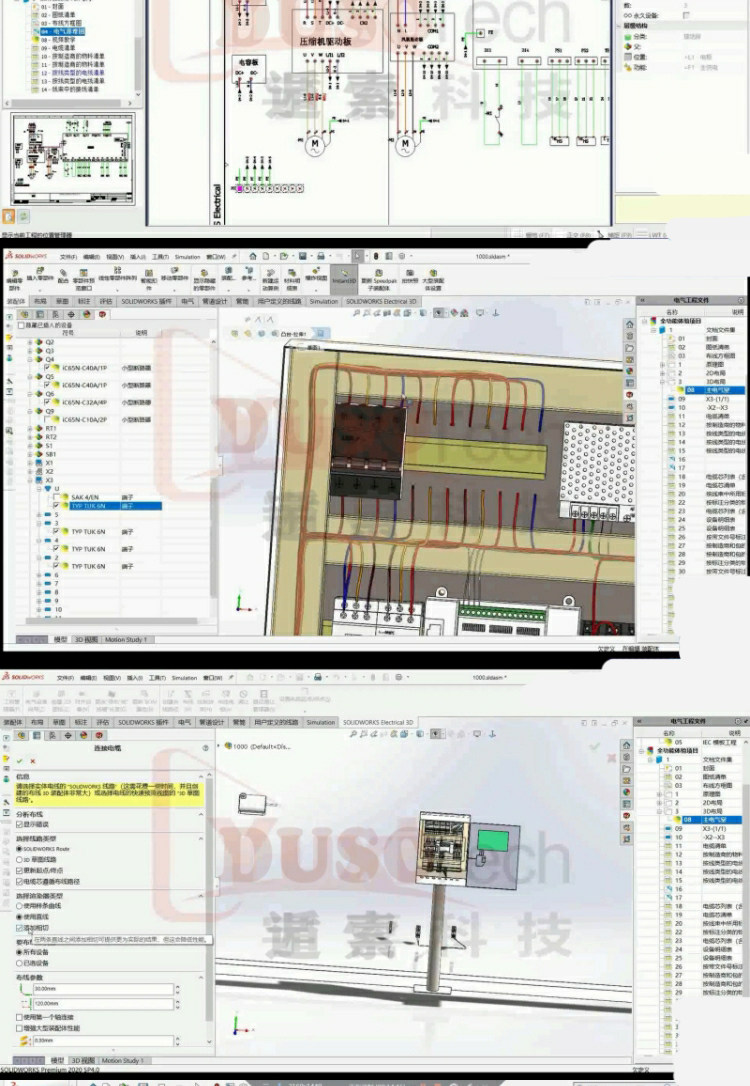
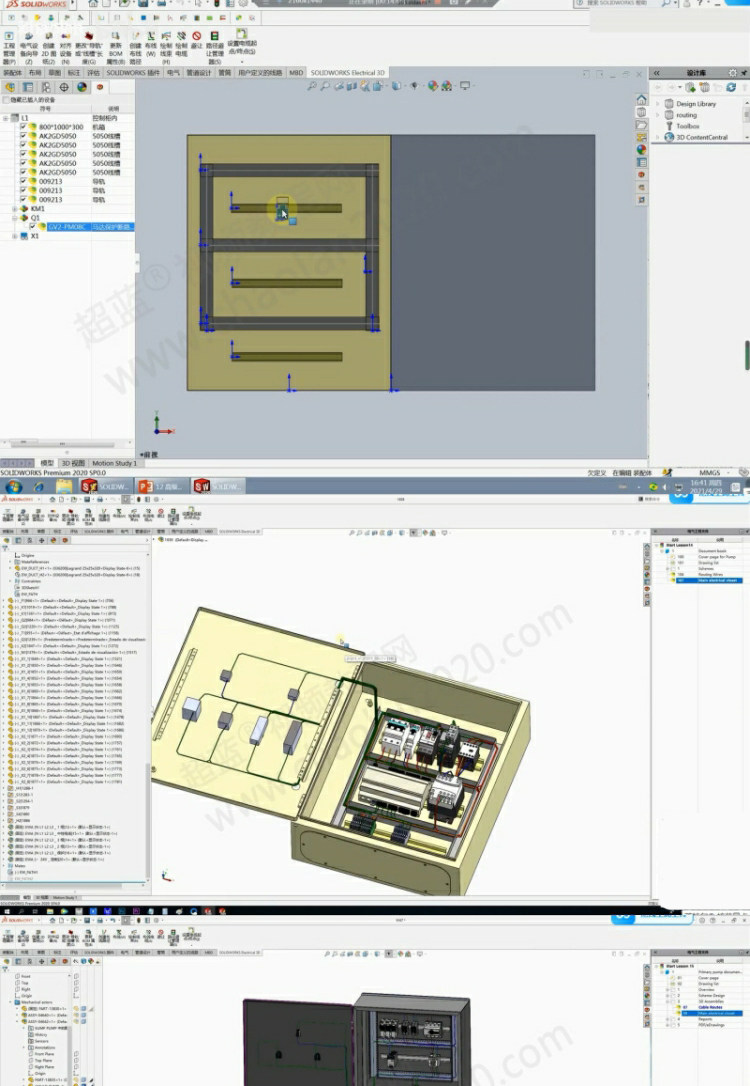
Professional SolidWorks Electrical Design: Comprehensive Video Tutorial (Beginner to Master)
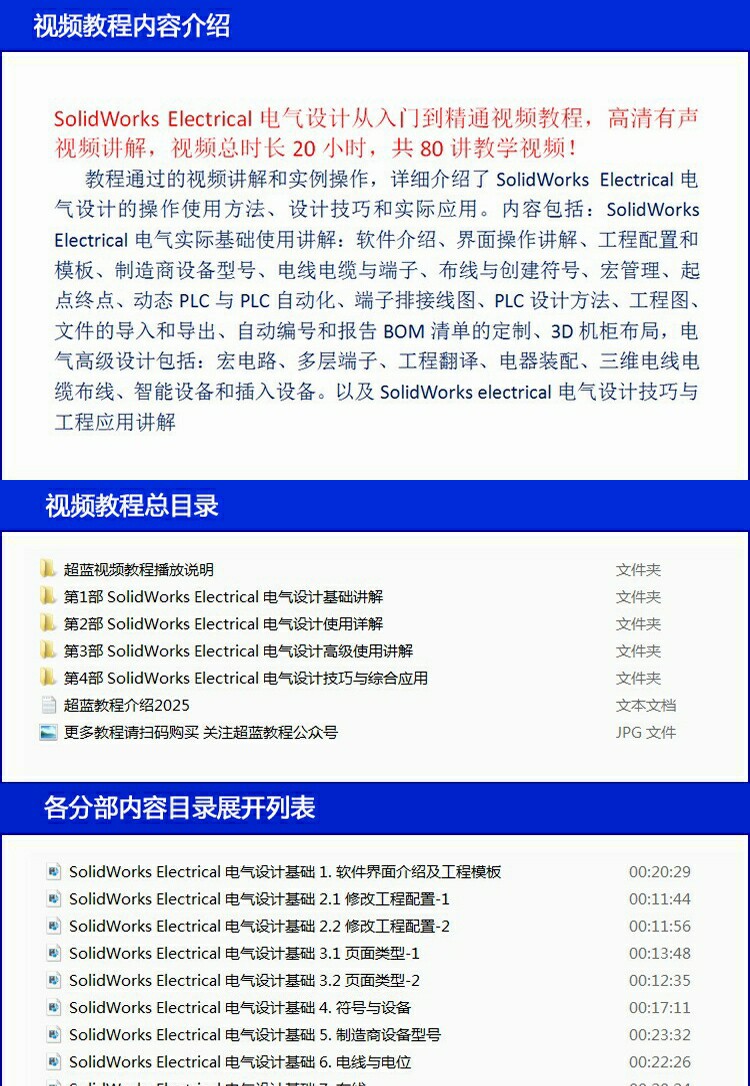
Master the complexities of electromechanical design with this comprehensive SolidWorks Electrical video tutorial series. Designed specifically for engineers, designers, and students, this course bridges the gap between basic schematic drawing and advanced 3D cabinet integration. Whether you are starting from scratch or looking to refine your PLC automation skills, this 80-lecture series provides the practical knowledge needed to streamline your engineering workflow and improve design accuracy.
Key Benefits
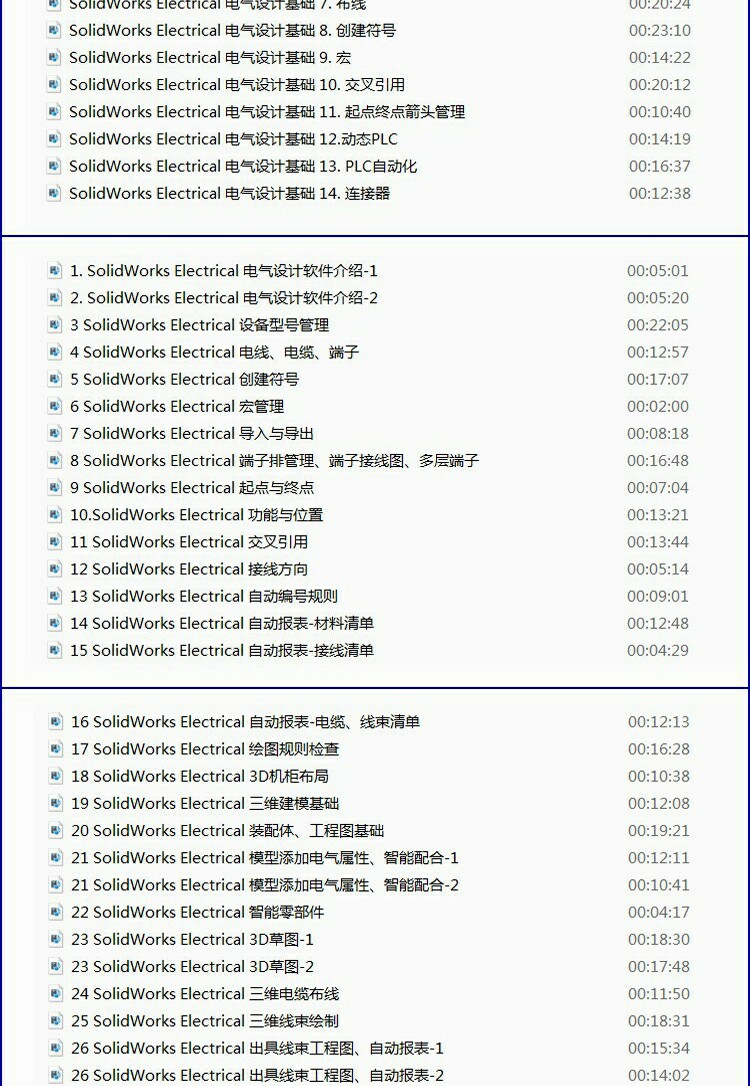
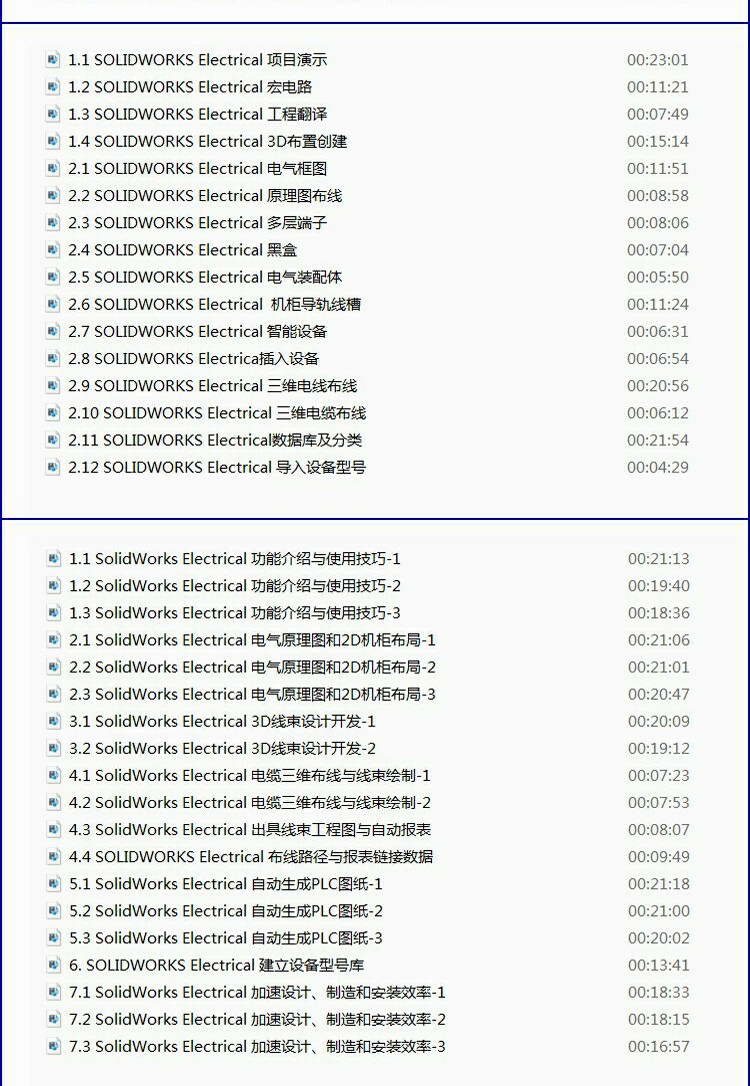
- Comprehensive Curriculum: Spanning 20 hours of high-definition content, the course covers the entire design lifecycle, from initial interface setup to complex 3D modeling and project management.
- PLC Integration & Automation: Deep dive into dynamic PLC design and automation. Learn how to manage complex inputs/outputs, terminal strip wiring diagrams, and PLC-specific design methodologies efficiently.
- Real-World Practicality: Learn through hands-on examples including macro management, manufacturer equipment modeling, and the creation of custom symbols to build a robust component library.
- Advanced 3D Cabinet Layout: Move beyond 2D schematics by mastering 3D cabinet design. This ensures your electrical components fit perfectly within mechanical assemblies, reducing physical prototyping errors.
- Automated Documentation: Gain proficiency in project configuration, automatic numbering, and the generation of customized BOM (Bill of Materials) reports to maintain professional industry standards.
Key Specs
- Total Duration: 20 hours of instructional footage.
- Content Volume: 80 high-definition video lectures.
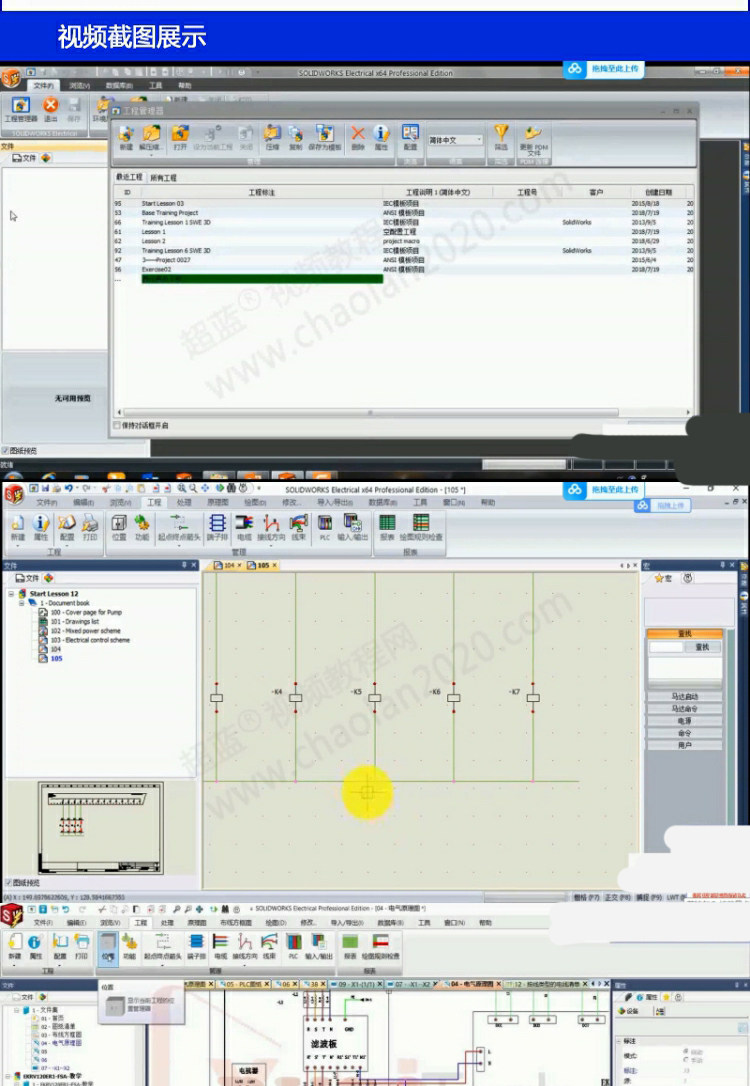
- Audio: Clear, narrated step-by-step explanations.
- Compatibility: Optimized for Windows PC, iOS, Android, and HarmonyOS devices.
- Course Scope: Covers 2D schematics, 3D layout, PLC automation, and data management.
How to Use
This is a digital educational product delivered via a cloud-based link.
- Access the provided link through your preferred web browser or cloud storage application.
- Select your preferred viewing method: choose between direct online streaming for instant access or downloading the files for offline study.
- Required Tools: To follow the practical exercises, you will need a computer with SolidWorks Electrical software installed.
- Follow the lectures sequentially, starting from "Interface Operations" before moving into "Project Configuration" and "3D Layout."
Care & Safety
- Data Management: Store your access credentials and downloaded files in a secure location. The content is available for long-term use and does not expire.
- Device Compatibility: Ensure your computer or mobile device has a stable internet connection for the initial download or for high-quality streaming.
- Digital Wellness: Given the extensive 20-hour runtime, it is recommended to take regular breaks to prevent eye strain and improve information retention during study sessions.
Notes
"High-definition video with voiced explanations" provides a professional and immersive learning environment for mastering electrical engineering software.